
Announcements
Instagram filters are super popular right now! If you use Insta a lot, I'm sure you've used some cool filter to record a story or post a cool photo.
If you haven't tried any filters yet or find them difficult to use, you may be curious to know more about them.
In this post, we'll explain why filters are becoming increasingly popular and an important marketing tool for brands.
See also:
What are Instagram filters?
Filters are like camera tricks that use special technology to change the real image of things.
When we choose a filter and take a photo with the phone's front camera, we can change our own image, usually of our face. If we use the back camera, we can change the image of where we are.
These changes to photos or videos are the effects of filters. They offer lots of cool options, such as masks, lights, phrases, games, objects that seem to float, make-up, eye color changes, 3D things, color editing and much more.
Filters are not just for Instagram, o Snapchat was one of the first social networks to use these camera effects.
In fact, even Instagram's story format was inspired by 15-second snaps.
How can I use Instagram filters?
Want to add a special touch to your photos or videos on Instagram? Just follow these simple steps:
- Open the camera by clicking on the icon in the top left corner or sliding your finger to the right anywhere in your feed;
- Slide your finger to the left at the bottom of the screen (where there is the ball to take the photo) and choose an effect.
- If you want to see more effects than the ones that have appeared, scroll to the bottom and click on the magnifying glass to search for new effects;
- Now just click to take a photo or hold to record a video. Whether you're using the front or rear camera, the effect you've chosen will automatically appear on your face or whatever you're pointing at.
How can I search for new filters on Instagram?
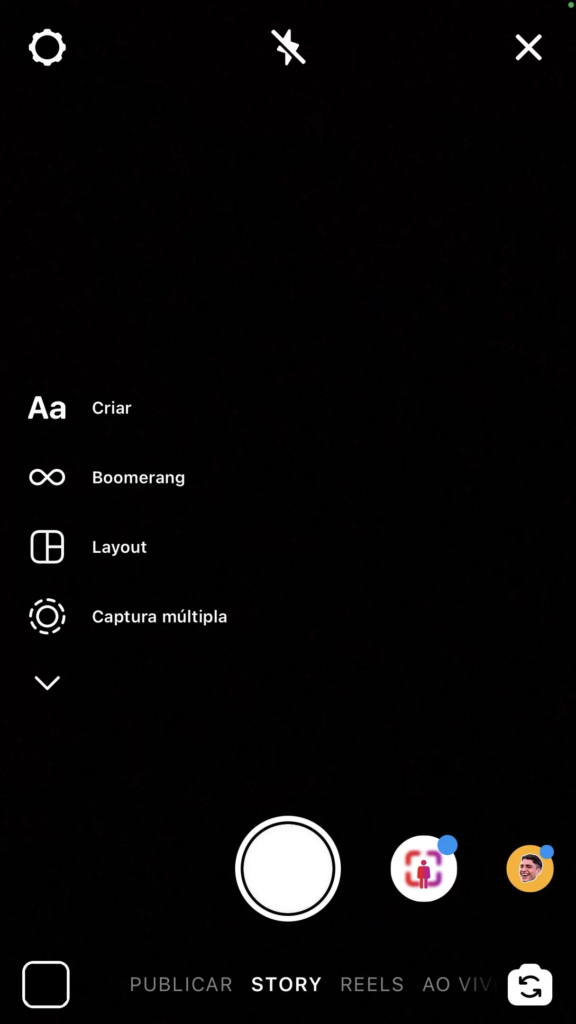
Let's learn how to find new effects for Instagram Stories. It's a bit hidden, but once you find out where it is, it'll be easy and fun:
Step 01: Open Instagram and click on the camera to open Stories;
Step 02: Tap the icon with the emoji to see the effects;
Step 03: Scroll down the list of effects to the left until you reach the end. At the bottom you'll see "Search effects" with a magnifying glass symbol. Click on it;
Step 04: You will see the "Effects Gallery". Scroll down to see many options;
Step 06: If you want, you can search for effects by popular tags such as "Following", "Instagram", "Selfies", "Black and White" and others;
Step 07: Once you've seen a preview of the effect, click on it to open it in full screen. Click on "Try it" to apply the filter to your photo.
The effect will be saved in your library for later use, so you don't need to search for it again.
But if you don't want to lose the filter at all, click on the name of the effect (below the photo ball) and click on the "Save effect" flag.
How to use a new Insta filter?

Another way of using filters is when you watch other people's stories. Many people do this to discover new filters. And it's quite easy:
1. Find a video/photo in which someone is using a filter you like;
2. Just below the person's profile will be the name of the filter. Just click on it;
3. Then click on the "save effect" flag. That's it! The effect will be saved in your library and you can use it on your own camera whenever you want.
Surely, with this information it's easier to understand how to use Instagram filters, isn't it?
See also how to mute stories: here! Questions? Leave them in the comments below!
