
Announcements
Detran's Digital CRLV now allows drivers to access the Vehicle Registration and Licensing Certificate directly from their cell phones.
This new feature eliminates the need to carry the "car document" everywhere.
The application, which is the same as the CNH Digital, has QR Code scanning functionality, which promises to make life easier for drivers and traffic agents during blitz or approaches, find out more below!
Read also:
Online security
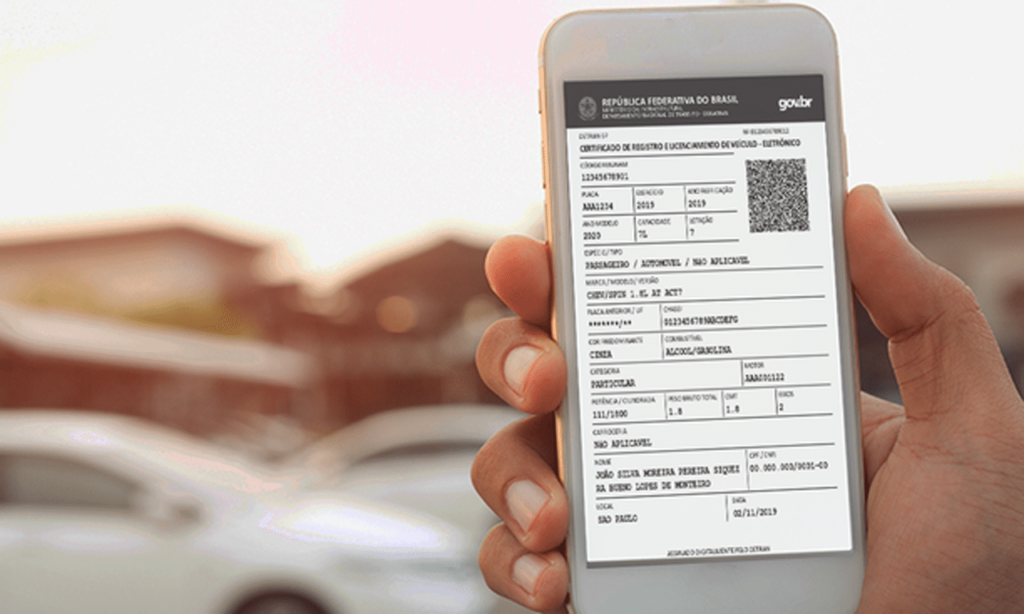
It's good to know that the digital document is only available to those who have their 2018 license up to date, right?
To access it, you need a four-digit password, which is requested when you log in to CDT, or you can use your fingerprint.
The electronic version of the CRLV is already running in 13 states, such as Rio de Janeiro and Alagoas.
And remember, other places have until June 30 to get on board this technological bandwagon, according to Contran Resolution 769/2018. Stay up to date!
How to use the Digital CRLV easily?
Step 1: First, do the download application and open it.
When you start, the service will display crucial information, such as the legal validity of the digital documents and the possibility of sharing the files on your cell phone.
To check all the instructions, slide your finger to the left. On the third screen, you'll find the "Continue" option. Simply click to continue;
Step 2: Then enter your CPF and click on "Next" at the bottom of the screen to start registering. Registration includes your full name, date of birth, e-mail address and the creation of a password.
After filling in the fields, tap on "Register" at the bottom of the smartphone screen. Don't forget to read the terms of responsibility, which explain the app's privacy policy. If you agree, click on "I accept";
Step 3: After registering for the application, you will receive an activation link in your e-mail. Simply tap on "Got it" and validate your registration by clicking on the link sent to you.
When you do this, you will be redirected to a Detran page, where you will see the message "Account successfully activated";
Step 4: Now access the application and enter your CPF and password. Then click on the "+" icon at the top of the screen. On the next screen, choose the second option, which is "CRLV Digital";
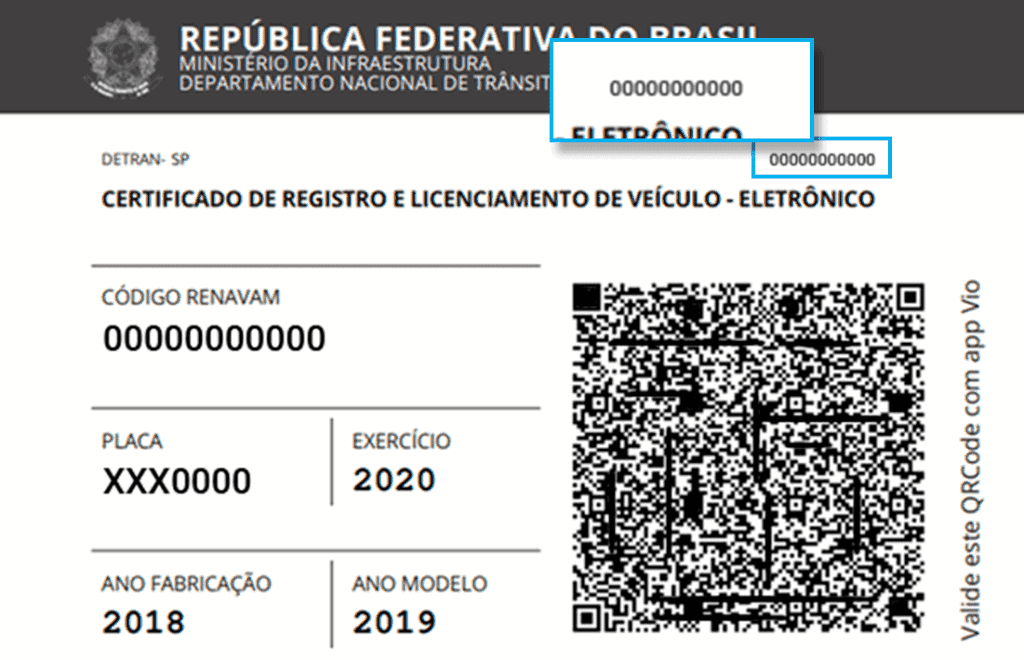
Step 5: To include the Renavam and Security Code numbers from the CRV, consult the "car document" and enter the corresponding numbers.
The Renavam code is located in the second field of the document, identified as: Renavam Cod.
Meanwhile, the CRV Security Code is positioned at the top of the document, below the CRV number and the Vehicle Registration Code.
It is important to avoid confusion and ensure that you enter the CRV Security Code number correctly, without confusing it with the CRV number itself;
Step 6: The application then asks you to create an access key made up of four numbers.
In addition, it is optional to register your fingerprint to access the "Digital Traffic Card" (CDT). At this point, the application displays information about the vehicle, such as its make, license plate and latest license;
Step 7: After selecting the desired option, you will see the "Car Document", the CRLV in digital format. By sliding your finger to the left, you will find the QR Code option on the third screen;
Step 8: To generate a PDF, click on "Options" in the top right-hand corner of the screen and then tap on "Export".
Select the PDF option by clicking on the button and making sure it turns green. Tap "Export" again and choose the recipient to send the document to.
See also how the Digital Work Permit works: here! Questions about the Digital CRLV? Leave them below in the comments!
