
Announcements
The Serasa app is free and offers complete information about your CPF, including outstanding debts, protests and legal proceedings. This is essential for anyone planning to apply for a loan or financing, as banks and finance companies check the CPF before approving credit. If there are overdue debts, the app can present proposals from partner companies to help resolve the situation.
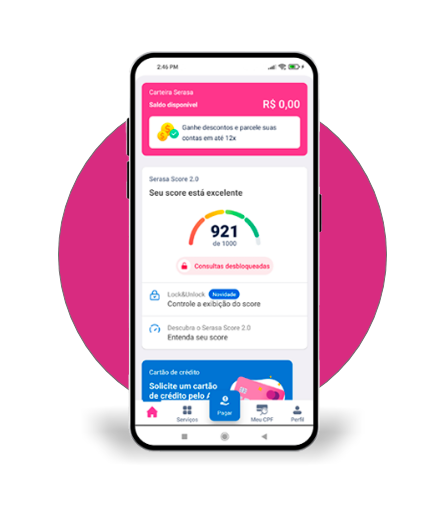
Application from Serasa
+ More than 50 Million Downloads
You will be redirected to PlayStore
Main features of the Serasa application
The Serasa app offers several features to help you take care of your financial life. With it, you can:
- Check your credit score with Serasa Score 2.0 and find out what is affecting your score;
- Negotiate debts and overdue accounts with more than 100 partner companies through Serasa Limpa Nome;
- Simulate, compare and apply for loans and credit cards according to your profile with Serasa eCred;
- Monitor your CPF, queries and transactions made in your name with Serasa Premium to be more protected;
- Use the Serasa Digital Wallet to pay your bills in up to 14 installments, recharge your cell phone and receive money in real time, at no extra cost.
The Serasa app is a useful tool to help you keep control of your finances and make informed decisions about your credit and debts.
Is the Serasa app reliable?
Yes, you can trust. Everything the app does follows data protection rules, so your information is safe.
And the companies that work together with Serasa, such as Serasa eCred and Serasa Limpa Nome, are regulated by the authorities, so everything is fine.
How do I see my CPF on the Serasa app?
Is easy! You just need to log in to the app and on the first screen, you will see “CPF Consultation” and the status of your document.
If you want to know more details about debts, protests and other things in your name, just click on “See more”.
What if I want to know if my name is dirty on the Serasa app?
It's also simple. Log in and on the home screen, look at “CPF Consultation”. Click on “See more” and then you will find out everything about debts, protests, CNPJ consultation and more.
How do I negotiate debts at Serasa Limpa Nome through the Serasa app?
To negotiate, download the app, register, enter your CPF and password. If the company you owe is a Serasa Limpa Nome partner, the debt and the agreement proposal will appear on the home screen.
In three minutes, the issue will be resolved. Then, pay the invoice that arrives via SMS or email.
How to check the CPF on the Serasa website?
You can check your CPF status easily on the Serasa website. Follow these steps:
- Go to the Serasa website (serasa.com.br);
- Click on the “Access services” button;
- Enter your CPF and click “Continue”;
- Enter your password and then click “Continue”;
- Go to the “My CPF” tab and scroll down.
Okay, that's it! You can check the status of your CPF quickly and simply.
