
Announcements
We often want to know how to recover deleted photos from our cell phones, since losing photos can be frustrating, especially when it comes to important moments that we don't want to forget.
Fortunately, there are several ways to recover deleted photos on different devices.
This article will guide you through the most effective methods for getting your photos back.
1. Check the Recycle Bin or the Recently Deleted Items folder
Before moving on to more complex solutions, it's always a good idea to check the Recycle Bin on a PC or the Deleted Items folder on mobile devices. On cell phones, this folder usually appears under the name "Recycle Bin" or "Recently Deleted", where deleted photos are temporarily stored before being permanently deleted.
Often, deleted photos are still there and can be easily restored with a few clicks. To restore a photo, open the deleted items folder, select the photos you want to recover and tap 'Restore'.
The photo will be returned to the original location from which it was deleted. Setting the Recycle Bin to not empty automatically or increasing the period before items are permanently deleted can give you more time to recover accidentally deleted photos (normally this period is 30 days, photos are permanently deleted after 30 days in the Recycle Bin).
2. Recover Deleted Photo from Cloud Backup
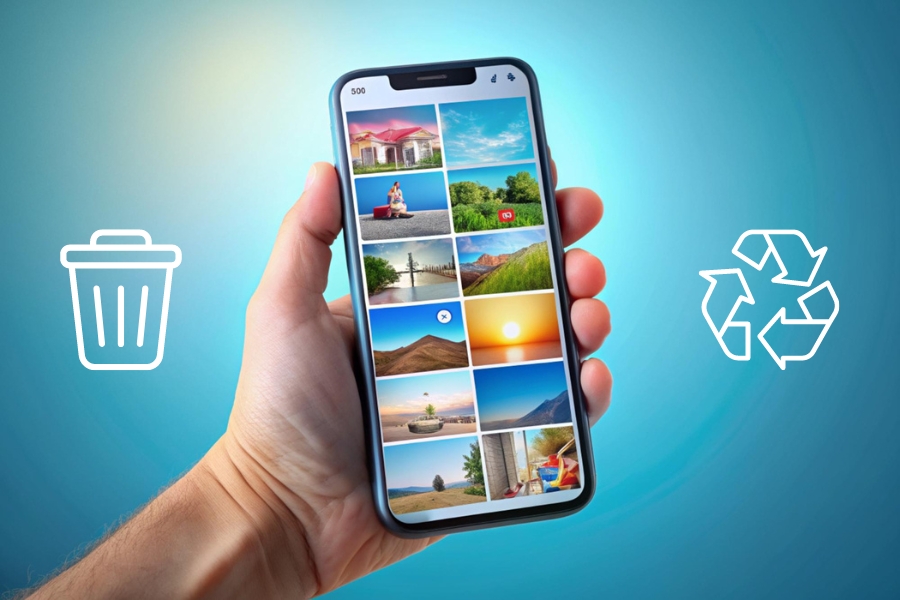
If you have set up automatic backups for your Google Photos account, iCloud or any other cloud storage service, you can recover your lost photos by logging into your account on these services.
To recover photos, simply go to the cloud service's app or website, search for the photos you want and download them to your device.
These services usually keep your photos for an indefinite period or until you decide to delete them from the cloud. Setting up automatic backups is one of the safest ways to ensure that you don't lose your photos permanently, even if you lose your device.
If you have a computer, you'll need to install some data recovery software such as Recuva for Windows or PhotoRec, which is cross-platform.
If you keep regular backups of your devices, your chances of recovering deleted photos increase significantly.
4. Applications to recover deleted photos
There are several effective applications for recovering deleted photos, each with its own peculiarities and advantages. Here are four applications for this purpose:
1. DiskDigger
Available for both Android and Windows, DiskDigger is an excellent choice for recovering photos directly from smartphones or memory cards. The application does not require the device to be rooted for photo recovery in the basic version, although root access can increase the effectiveness of recovery on Android devices.
DiskDigger can scan and recover all types of files and allows users to preview recoverable photos before saving.
DiskDigger Photo Recovery (Android)DiskDigger is one of the best choices for Android users. It offers two versions: a free version that can recover photos and videos without the need for root, and a Pro version that can recover other types of files and offers more advanced features with root access.
For recovering photos directly from mobile devices such as smartphones, the options can vary somewhat, especially since Android and iOS operating systems have different levels of access to the device's data. Here are some of the best options for mobile photo recovery:
2. Dr.Fone - Data Recovery
This is versatile data recovery software that can be used on both iOS and Android devices. Dr.Fone allows you to recover deleted photos, videos, contacts, messages, notes and other types of data.
It is particularly useful for iOS devices, where recovery applications directly on the device are limited due to Apple's security restrictions.
3. EaseUS MobiSaver
Another robust application, EaseUS MobiSaver helps recover lost data on Android and iOS devices.
It can recover photos, videos, contacts and messages, and is available in both a free version and a paid version with more features.
4. Back up
It is one of the most popular and reliable data recovery applications available for Windows. Recuva is known for its user-friendly interface and ability to recover a variety of file types, including photos, videos, music, documents and more.
It offers a free version that is already quite efficient for basic recovery, as well as a paid version that provides additional features such as deep recovery and technical support.
Android | Website (a variation)
Final Tips
These applications are highly rated for their effectiveness, reliability and ease of use, making them great options for anyone who needs to recover deleted photos.
Losing photos doesn't necessarily mean they're lost forever. With the right tools and techniques, there is a good chance of recovering your precious memories. Remember to act quickly and use the right methods to increase your chances of a successful recovery.
And of course, always remember the importance of keeping regular backups. This makes all the difference when it comes to recovering deleted photos and other files.
Keeping regular backups, especially on cloud services such as Google Photos or iCloud, where your photos can be synchronized automatically, is one of the safest practices to ensure that you never lose your photos permanently.
