
Announcements
Is it possible to add color to an old photo? If you have old photos and want to give them a new look, there are several apps that can help.
In this article, we'll explore 5 amazing apps for coloring old photos.
Let's see how they work, which languages are available and other features they offer, find out more below!
See also:
5 apps to add color to old photos
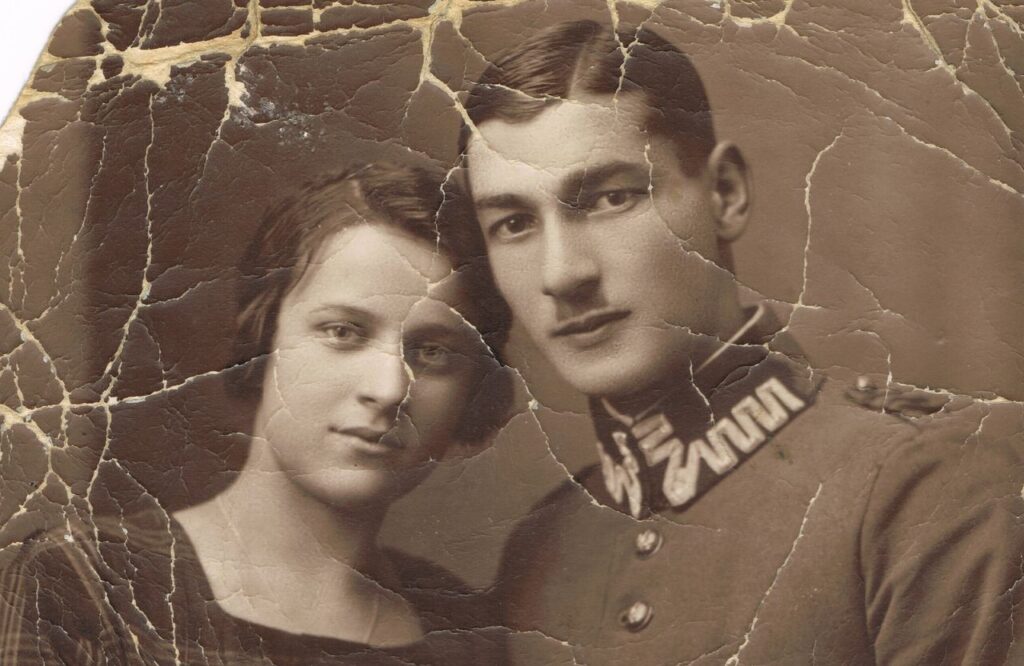
1. PhotoLeap by Lightricks
PhotoLeap is a powerful tool not only for colorizing old photos, but also for editing any image with a fairly high level of sophistication. This application is known for its ease of use, making it simple to add effects, overlays, and of course, color to black and white photos.
It is mainly available in English, but also supports other languages such as Spanish and French.
In addition to coloring, PhotoLeap allows you to manipulate layers like in professional image editing software, offering various image adjustment tools, filters and special effects.
How to download?
- Download the app from your device's app store;
- Open PhotoLeap and select the photo you want to color;
- Use the colorization tools available to add color to your photo;
- Adjust the details as necessary and save your color photo.
Download: iOS | Android | Official website
2. Colorize
Colorize is a specific application for adding color to old photos. It uses artificial intelligence to analyze the black and white image and automatically fill in the colors in a realistic way.
The application is very simple to use, with a straightforward interface that doesn't require advanced editing skills.
Available in several languages such as Portuguese, Spanish, English, German and French, Colorize is a great option for those looking for a quick and effective solution without the need for a lot of manual adjustments.
How to download?
- Download Colorize from your device's app store;
- Open the application and import the photo you want to color;
- Select the areas you want to color and choose the corresponding colors;
- Adjust the details as necessary and save your finished photo.
Download: iOS (other version) | IOS | Android | Official website
3. Coloring Old Photo
This application was developed with the Brazilian user in mind, with full support in Portuguese.
The Colorize Old Photo app focuses on transforming monochrome photos into colorful images using artificial intelligence technology that detects the elements in the photo and applies the colors automatically.
The application also offers other features such as adjusting brightness, contrast and saturation, allowing fine control over the final result of the image.
How to download?
- Download the Old Photo Coloring app from your app store;
- Open the application and choose the photo you want to color;
- Use the colorization tools to add color to your photo;
- Finish by adjusting the details and save your color photo.
Download: iOS (not available) | Android
4. YouCam Enhance
YouCam Enhance is part of the YouCam family of apps, known for its beauty tools and filters for selfies.
This app, however, is aimed at improving photos in general, including the ability to colorize old photos. It supports multiple languages, including English, Spanish, Chinese and Portuguese.
In addition to coloring, YouCam Enhance offers tools for correcting skin imperfections, improving lighting and even applying digital makeup, making it a versatile choice for photo editing.
How to download?
- Download YouCam Enhance from your app store;
- Open the application and import the photo you want to color;
- Use the colorization and editing tools to enhance your photo;
- Finalize the adjustments and save your masterpiece.
Download: iOS | Android | Official website
5. Hotpot
Hotpot simplifies the colorization of old photos using artificial intelligence. This application offers a specific tool for automatically adding color to black and white photos.
The app is available in English and is very simple to use, making the task of coloring old pictures quick and uncomplicated.
In addition to colorization, Hotpot offers features for creating graphics, designing icons and even generating art using AI.
How to download?
- Download Hotpot from your app store;
- Open the application and select the photo you want to color;
- Wait a few moments while the application automatically applies the colors to your photo;
- Finalize the adjustments as necessary and save your color photo.
Download: Official website
Tips for editing old photos online
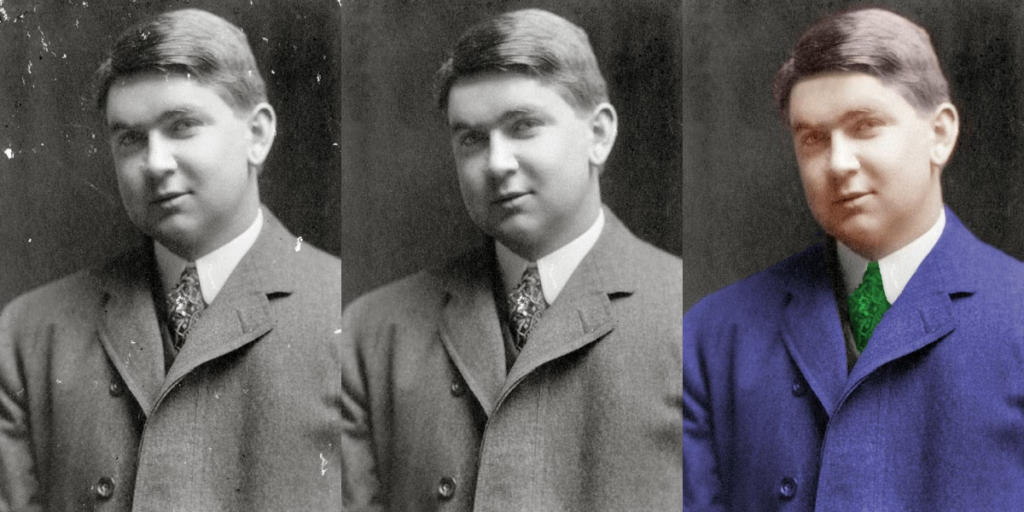
Adding color to an old photo can be a fun way to relive memories. And it's important to pay attention to a few details:
- Choose the right toolDepending on the level of detail you want to add or restore, choose an application that meets your needs;
- Initial cleaning: Before adding color, clean up the photo's imperfections. Many applications offer tools for removing blemishes and scratches;
- Adjust the colors gradually: When coloring, start with soft settings and increase the intensity as necessary to avoid the photo looking artificial;
- Use AI sparingly: Artificial intelligence is powerful, but it can be exaggerated. Adjust manually when necessary to maintain naturalness;
- Learn from tutorials: Many applications offer tutorials that can help you better understand how to use their tools and features.
Experimenting with editing old photos can open up a world of creative possibilities.
With the right apps, your photos will not only gain color, but also new life. Enjoy the process of turning your memories into colorful works of art!
See also how to have more than one Instagram account on the same phone: here! Questions about apps to add color to old photos? Leave them in the comments below!
